Image Resizer Pro
Resize Your PNG, JPG and WebP images for YouTube, Instagram, Facebook, TikTok and more. Quick presets, custom dimensions, and high‑quality output. Check Result Before Download — completely locally in your browser.
Drop image or click to browse
PNG, JPG, WebP • Resize for any platform
All processing happens locally — your images never leave your device.
help_outline How to Use Image Resizer Pro
Upload Your Image
Click anywhere on the dashed area or drag & drop a JPG, PNG, or WebP file. It never leaves your device.
Pick a Size
Choose a platform preset (YouTube, Instagram, etc.) or type custom width & height. The live preview updates instantly.
Choose Fit Mode
Decide how your image fills the new shape – Cover (crops edges), Contain (shows all), or Crop (drag to reposition).
Download & Share
Hit Download to save as PNG or WebP. Use the Share button to copy a link with your exact settings.
The image fills the entire area and any parts outside the shape are cropped. Perfect for thumbnails, banners, and profile pics where you want no empty space.
The whole image is visible and centered, with transparent bars (no cropping). Ideal for logos, product shots, or square presets where you don't want any part cut off.
100% Private & Secure: Images are processed directly in your browser. No upload to our server — your data stays with you.
Why Image Size Actually Matters
Most people don't realize how much a wrongly sized image costs them. YouTube compresses thumbnails that aren't 1280×720. Instagram silently crops portraits that fall outside its 4:5 ratio. LinkedIn shrinks link previews that don't hit 1200×627 — and suddenly your carefully designed graphic looks like a blurry afterthought.
It's not about being pixel-perfect for the sake of it. It's about making sure what you created actually looks the way you intended when someone sees it. That's the whole point of this tool — no guessing, no trial and error, just the right size, right away.
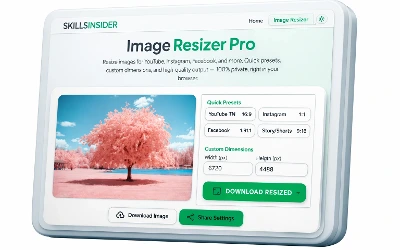
Works on desktop, tablet, and mobile — no app needed.
Frequently Asked Questions
Explore More Tools
WebP Converter
Convert images to modern WebP format for faster load times.
cropImage Cropper
Crop images with precision, no design software needed.
compressImage Compressor
Reduce file size while keeping quality intact.
cakeAge Calculator
Find out your exact age in years, months, and days instantly.
scheduleTime Zone Converter
Convert times across time zones for meetings and global scheduling.